If you're not getting notification emails, we suggest logging into your account and reviewing your communication preferences. To do this, click on the burger menu at the top right corner of the website. A dropdown menu will appear, and then look for "account & settings" and choose "communication preferences."
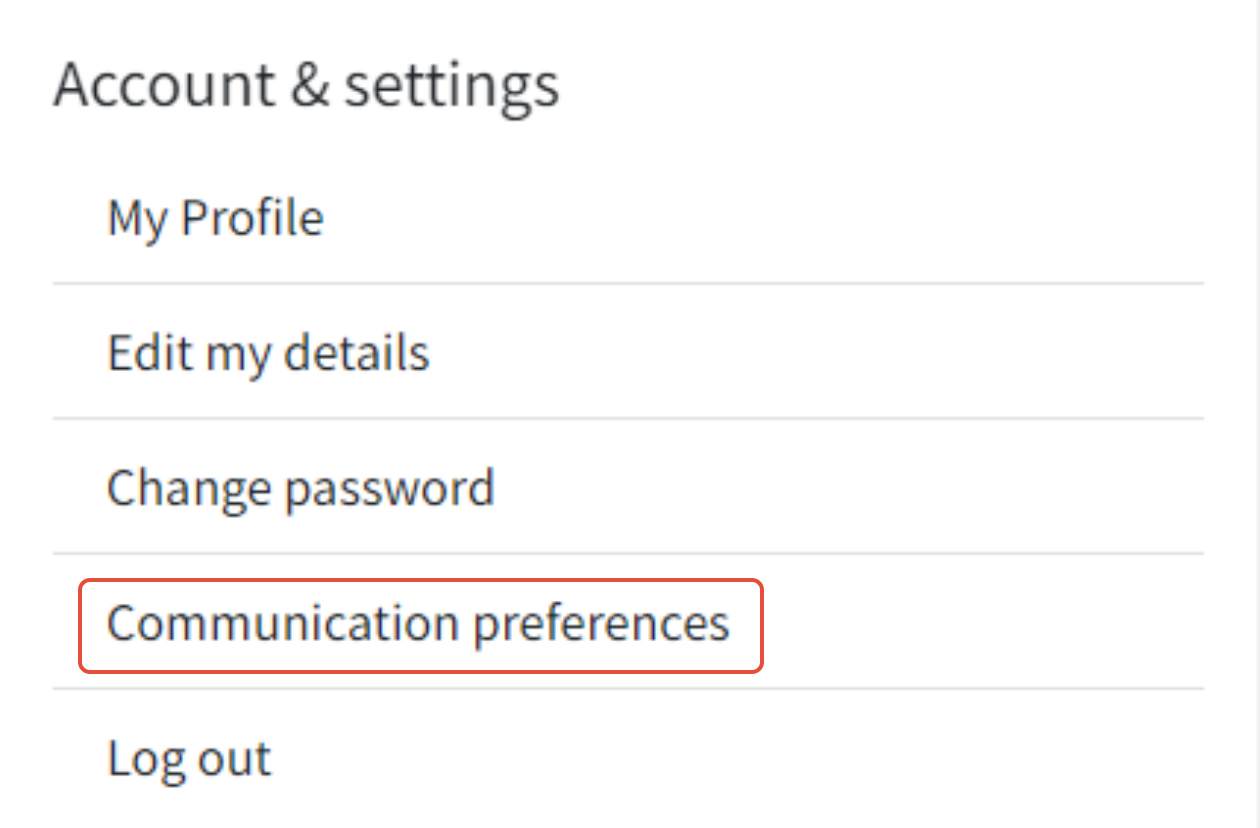
From this section, you can manage how you receive updates from the groups you're involved in or activities that concern you by toggling the highlighted buttons below to either on or off.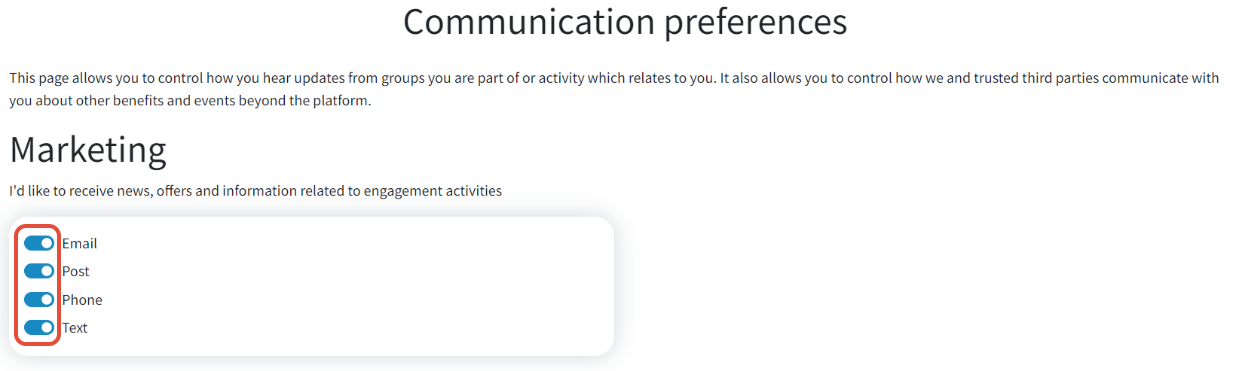
If you're still not getting notifications even after adjusting these settings, please reach out to a member of our support team. They'll be able to look into the issue more deeply and help resolve it for you.
Was this article helpful?
That’s Great!
Thank you for your feedback
Sorry! We couldn't be helpful
Thank you for your feedback
Feedback sent
We appreciate your effort and will try to fix the article