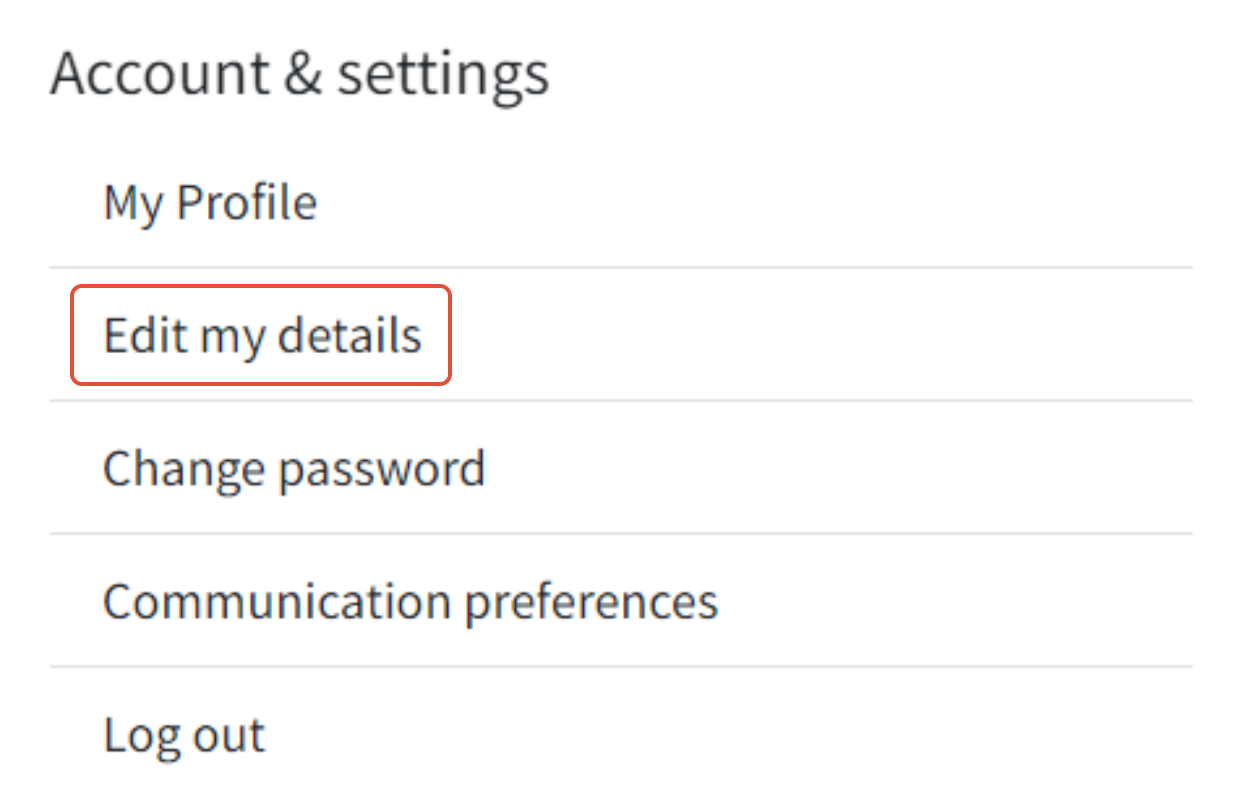
If you want to swap out your profile picture, just click on the hamburger menu at the top right corner of the website. This will bring down a menu, where you'll find "account & settings." Click on that and then select "edit my details."
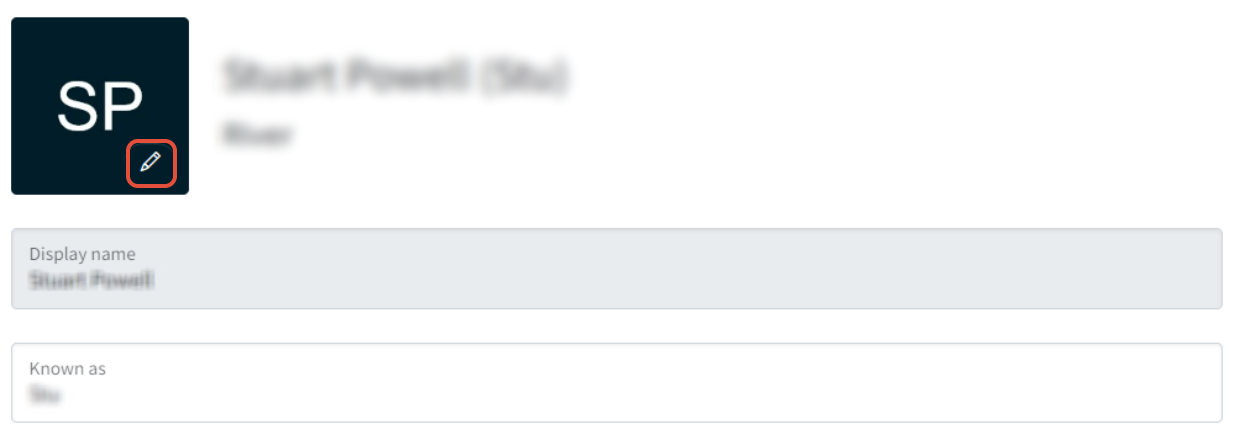
Once you're there, you can change your profile picture by clicking on the pencil icon located within the box containing your initials.
Was this article helpful?
That’s Great!
Thank you for your feedback
Sorry! We couldn't be helpful
Thank you for your feedback
Feedback sent
We appreciate your effort and will try to fix the article