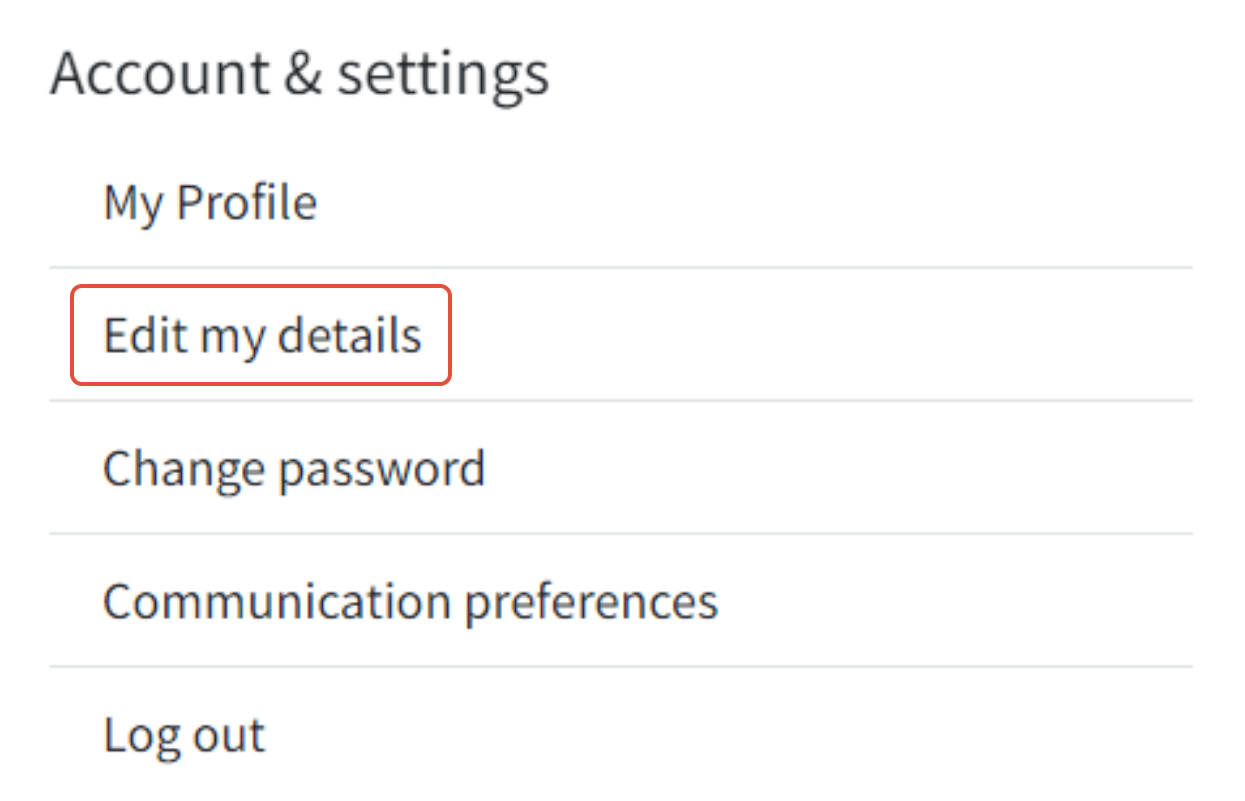
To update your account information, simply click on the hamburger menu located at the top right corner of the website. A dropdown menu will appear, and you should navigate to "account & settings" and choose "edit my details."
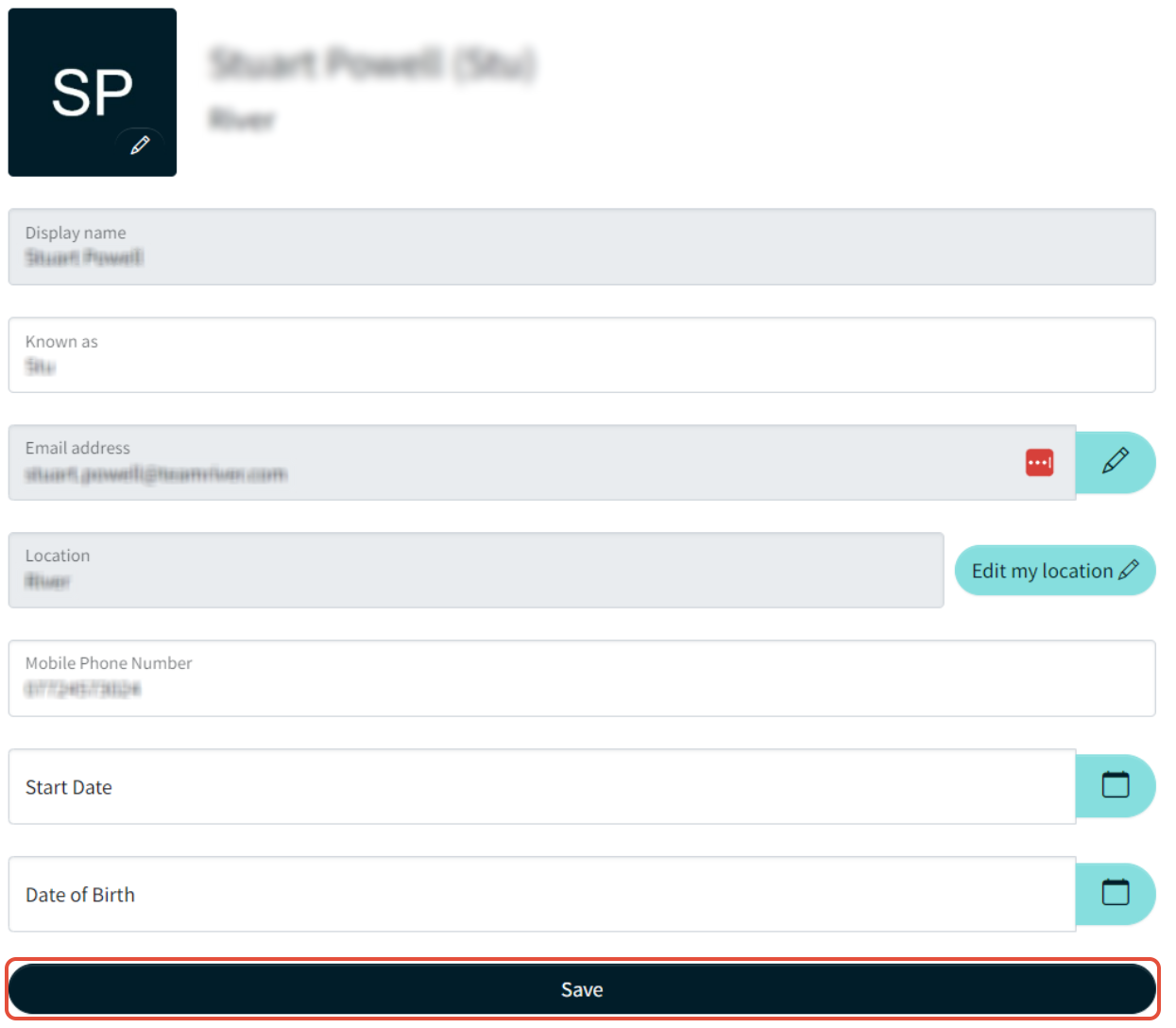
Once there, you'll have the ability to modify your profile picture, your display name, email address, password, and other personal information. Enter the new details and then click "save changes" at the bottom of the page.
If you encounter difficulty while trying to update your account information, please reach out to our customer support team for assistance. They'll be more than happy to assist you with any issues you're facing.
It's essential to keep your account information current to ensure you receive crucial notifications and updates from our website. For instance, if you've changed your email address but haven't updated it in your account details, you might miss important information.
Should you have any questions or concerns about modifying your account information, please don't hesitate to contact our customer support team. We're here to help resolve any problems you might encounter and aim to make your website experience as seamless and enjoyable as possible.
Was this article helpful?
That’s Great!
Thank you for your feedback
Sorry! We couldn't be helpful
Thank you for your feedback
Feedback sent
We appreciate your effort and will try to fix the article