If you are based at a retail store, please log in using the steps provided below:
- Navigate to www.bpsmile.co.uk
- Choose to 'Log in with your work account'
- You will then be directed to enter your email address and password which you use for your Rosi+ and Workday accounts as below:
Please note: If you receive the below error message, please try updating your password via Rosi+ and then attempt log in on BP Smile using an incognito/private browser.
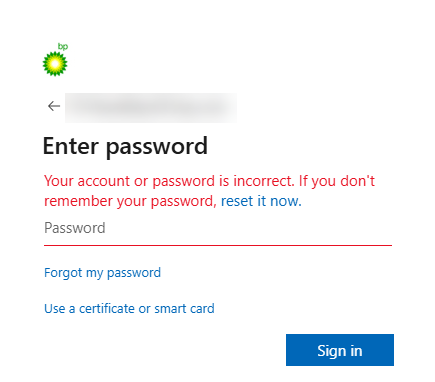
If you're still having trouble accessing the site after this, please send over a full page screenshot of the error message being displayed along with a timestamp of when you attempted to log in, and a member of our support team will investigate this for you.
Was this article helpful?
That’s Great!
Thank you for your feedback
Sorry! We couldn't be helpful
Thank you for your feedback
Feedback sent
We appreciate your effort and will try to fix the article